Workflow Manager
 Admin User
The option in the Left Navigation menu provides the means to create and manage defined workflow processes. You can create common workflow processes all projects use or you can create project specific workflow processes. There is a sample workflow process that is included as part of the software database. You can use this sample workflow process as a model to create a new one. Once a workflow process has been added, it cannot be deleted. When a workflow process is no longer needed, you can make it inactive.
A workflow process consists of a sequence of one or more workflow forms such as a basis of estimate (BOE), baseline change request (BCR), or work authorization. Each form is assigned a sequence of one or more approvals associated with a named workflow user role.
The workflow forms are Microsoft Excel files that consist of one or more tabs. The forms are saved to a named directory that is specified when the workflow process is created.
When a user initiates a workflow process, the workflow process assigns a unique ID and revision number to the form. The revision number is specific to the workflow process, project, and control account. When a control account successfully completes a selected workflow approval process, the revision number automatically increments (-, 1, 2, 3, ...) the next time a user initiates that workflow process for the control account. The form ID and revision number are included in the form file name when it is saved. An example of the file naming convention is illustrated in the Workflow Manage Tab section below.
 What do you want to do?
- Define Workflow User Roles. You will need to define the applicable User Roles before you create a new workflow process.
- Create a Workflow Process
- Edit a Workflow Process
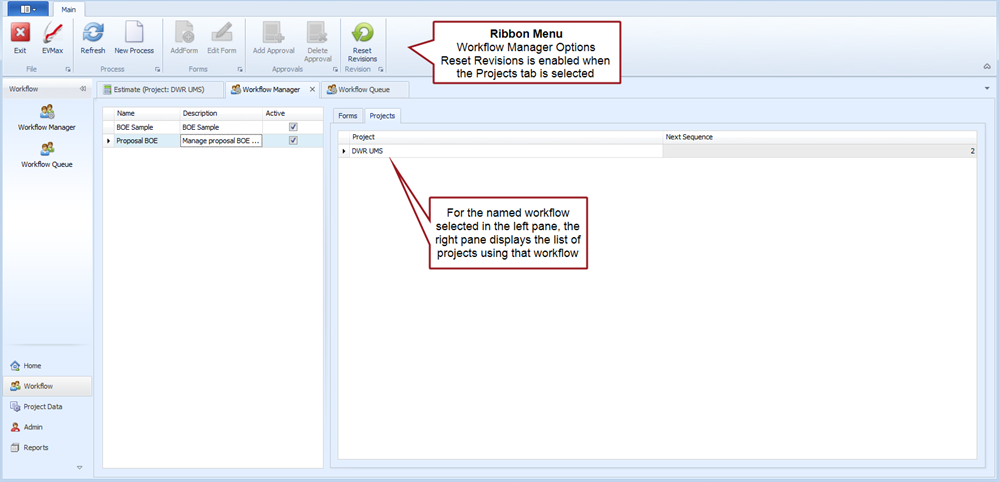
- Reset Workflow Form Revision
Workflow Manager Tab
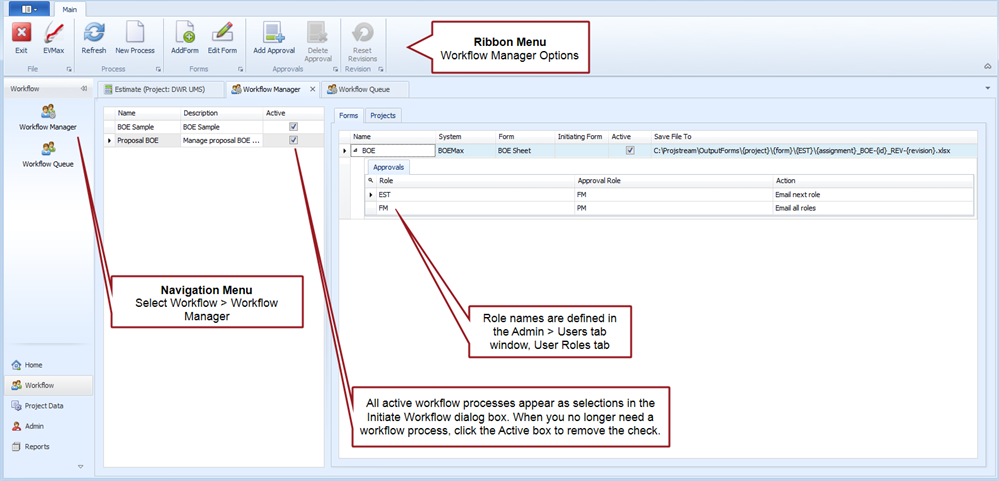
Workflow Manager tab, right pane Forms tab
Workflow Manager tab, right pane Projects tab
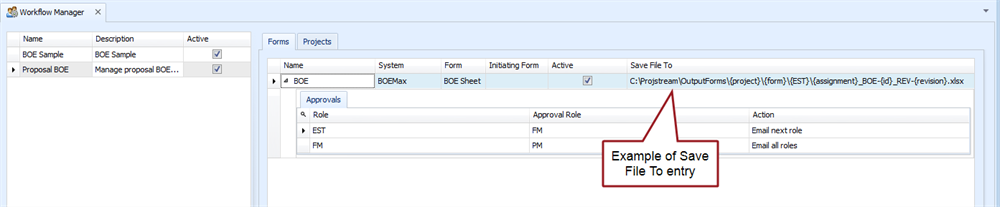
In the example screen capture above, the Save to File field is set to:
C:\Projstream\OutputForms\{project}\{form}\{EST}\{assignment}_BOE-{id}_REV-{revision}.xlsx
This means the forms are saved to this named directory and sub directories. System fields automatically populate the content in curly brackets where:
- {project} is the project name.
- {form} is the form name.
- {EST} is the role name that owns the folder.
- {assignment}_BOE-{id}_REV-{revision} identifies the assigned user name, form name and system assigned ID, and system assigned revision number.
Using an example where the project name is "DWR UMS", the form name is "BOE", the named user assigned the role of estimator ({EST} notation above is "dbrubeck" for a WBS/control account element of "1.1.1" with an assigned ID of "1" and revision number of "1" the resulting save to directory folders and file name becomes:
C:\projstream\outputforms\DWR UMS\BOE\dbrubeck\1.1.1_boe-1_rev-1.xlsx
What to Do Next
Once the applicable workflow processes have been established, the workflow process can be enabled for a project. See Enable Workflow for a Project.